
What to Do When Your Business Pin Disappears From Search Results Overnight
What to Do When Your Business Pin Disappears From Search Results Overnight
There is a specific kind of dread that hits a business owner when they open Google Maps to check their daily visibility, only to find their digital storefront has vanished. One day, you are the dominant force in your local “Map Pack”; the next, your red pin is gone, replaced by competitors who were previously miles behind you. This isn’t just a minor glitch – it is a critical failure in your local lead generation pipeline. In the 2026 search landscape, where google business profile seo has become more volatile due to AI-driven algorithm shifts, a disappearing pin is the ultimate emergency.
As a specialist who has audited thousands of listings, I can tell you that “overnight disappearances” usually fall into two categories: a hard suspension or “ghosting.” A suspension is loud; you’ll see a notification in your dashboard. Ghosting is silent; your profile looks active in the backend, but it is effectively invisible to the public. Understanding the 2026 landscape of local search requires moving beyond basic advice. We are now dealing with “Neural Mapping Gaps” and “Zero-Trust Verification” models that can de-index a business for the slightest data discrepancy. If your pin is missing, you need a diagnostic framework that identifies whether you are facing a temporary sync error or a deep-seated algorithmic filter.
The Immediate Diagnostic: Is It a Suspension or a Filter?
The first step in any recovery operation is to log into your Google Business Profile (GBP) dashboard. If you see a red banner stating your profile has been suspended or disabled, you have a clear, albeit difficult, path forward. However, if your dashboard says “Your business is live on Google,” yet you cannot find your pin for any of your core keywords, you are likely caught in a “Proximity Filter” or a “Relevance Suppression” loop. In 2026, Google’s automated systems have become increasingly aggressive at filtering out profiles that it deems “untrustworthy” or “redundant.”
Research into 2026 ranking patterns shows that unverified profiles or those with pending verification edits are the #1 cause of sudden visibility drops. We often refer to this as “Verification Hell.” This occurs when a business attempts to update a core piece of information – like a phone number or a service area – and the system flags the change for manual review, stripping the pin from the live map during the interim. Furthermore, you must check for “Duplicate Listing Cannibalization.” If a former employee or a lead-gen competitor has created a secondary listing at your address, Google’s “Zero-Trust” model may hide both listings until the conflict is resolved. Utilizing professional local seo services is often the only way to navigate these multi-layered verification traps without losing months of revenue.
[Stuck in Verification Hell? How to Finally Get Your Map Pin Approved]
Why Your Pin “Ghosted”: The 2026 Relevance Gap
If your listing is verified and active but has “ghosted” from category searches, you are likely suffering from a Relevance Gap. In the past, having the right keywords in your title was enough to maintain a pin. In 2026, Google’s algorithm requires “Interaction Depth.” This means the algorithm isn’t just looking at your reviews; it’s looking at how users interact with your profile, the quality of your posted photos, and the semantic relevance of your website’s content to the local area. If your interaction metrics drop below a certain threshold compared to your neighbors, your pin is suppressed in favor of “fresher” data.
Recent data from industry forums suggests that “local relevance signals” are now weighted more heavily than raw review counts. If your business hasn’t updated its “From the Business” section or posted a high-resolution geo-tagged photo in over 30 days, you may fall victim to “Stale Data Suppression.” To diagnose this, I recommend using local seo tools to analyze your proximity-to-rank ratio. If you rank #1 when standing in your parking lot but disappear once you move two blocks away, you aren’t missing; you are being filtered. This “Ghosting” effect is often a sign that your google business profile optimization is no longer aligned with the 2026 “Neural Mapping” updates, which prioritize businesses that demonstrate active, real-world engagement over those that simply exist on paper.
[Why Your Business Pin Disappeared and How Maps Ranking Specialists Fix It]
Technical Glitches and 2026 Sync Errors
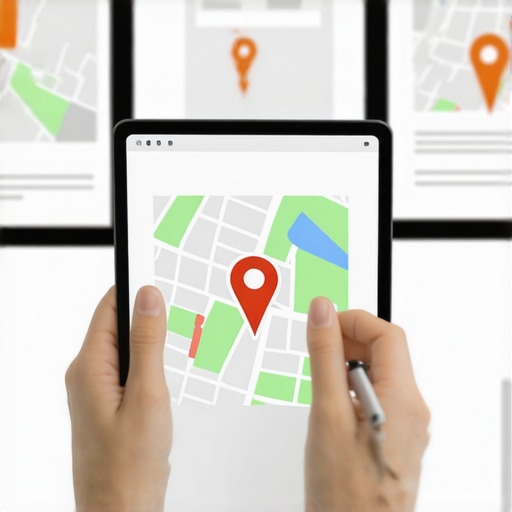
Not every disappearance is a penalty. Sometimes, the issue is purely technical. The 2026 Google Maps infrastructure relies on “Spatial Data” filters that can occasionally misinterpret a business’s location if the map marker is even slightly off-center. We have seen cases where a business pin disappears because the marker was placed on the roof of a building rather than the entrance, causing a “Spatial Conflict” with the street-view data. A “tiny adjustment” to the map marker – moving it just a few feet to the actual front door – can often trigger a Google re-review and re-index the listing within 24 to 48 hours.
Another common technical issue is the “Zero-Trust Sync Error.” This happens when your GBP data doesn’t perfectly match the data found on your official website or high-authority directories. In 2026, Google uses AI to cross-reference your NAP (Name, Address, Phone) data across the entire web in real-time. If there is a “Neural Mapping Gap” – where your website says “Suite 200” but your GBP says “Unit B” – the system may temporarily hide your pin to prevent user confusion. To resolve this, many businesses turn to a google maps ranking service to perform a deep-clean of their digital footprint. These sync errors are particularly common after a website migration or a change in hosting, where metadata might be temporarily inaccessible to Google’s crawlers.
[5 Google Maps Help Desk Fixes for 2026 Profile Sync Errors]
The Step-by-Step Recovery Roadmap
If your pin has vanished, do not panic and do not start changing your business name or deleting reviews. Follow this authoritative recovery roadmap to restore your visibility:
- Check for Suspension Notices: Log into the GBP dashboard and check the “Status” column. If suspended, do not submit an appeal until you have identified the exact policy violation.
- Audit NAP Consistency: Ensure your Name, Address, and Phone number are identical across your website, social media, and the GBP dashboard. Even a missing hyphen can trigger a 2026 trust filter.
- Perform a Technical Audit: Use a google maps seo tools suite to find hidden errors, such as broken website links or “Ghost Categories” that might be confusing the algorithm.
- Verify the Map Marker: Zoom in to the maximum level on your dashboard map. Ensure the pin is exactly on the entrance of your physical location. A minor nudge here is a known “reset” tactic for the indexer.
- Prepare for 2026 Appeals: If you are suspended, the appeal process now requires “Zero-Trust” documentation. This often includes a video verification where you must show the street sign, your business entrance, and your interior operations in one continuous shot.
In 2026, the gmb ranking service industry has shifted toward this “Proof of Life” model. Google no longer trusts utility bills alone, as these are easily forged by AI. You must provide official state-level documentation and live video proof to reclaim a missing pin. Furthermore, using local seo software to monitor your citations can prevent these issues from recurring by alerting you the moment a third-party site publishes incorrect data about your business.
[What Maps Ranking Specialists Check First When Local Traffic Drops to Zero]
Advanced Tactics: Beating the 2026 Proximity Filter
Sometimes your pin hasn’t disappeared globally; it has been “suppressed” by a proximity filter. This is a common issue for businesses in competitive “Service Area Business” (SAB) categories like plumbing or law. Google’s 2026 “Radius Suppression” algorithm is designed to prevent one business from dominating an entire city. If Google perceives that your “Interaction Depth” is only coming from a small radius, it will hide your pin for users outside that immediate circle to give other businesses a chance to show up.
To rank higher on google maps and bypass these proximity filters, you must focus on “Spatial Authority.” This involves creating location-specific landing pages on your website that are hyper-relevant to the neighborhoods you serve. When you rank google business profile listings in 2026, you aren’t just fighting for keywords; you are fighting for “Geographic Trust.” By using google business listing optimization techniques that include geo-coded images from various parts of the city and neighborhood-specific customer testimonials, you signal to Google that your relevance extends beyond your physical front door. Remember, being the closest business to the searcher no longer guarantees the top spot; being the most *trusted* business in that specific coordinate does.
[3 Tactics Maps Ranking Specialists Use to Beat 2026 Proximity Noise]
Conclusion: Reclaiming Your Local Dominance
A missing business pin is a high-stakes problem, but it is rarely permanent. Whether you are dealing with a technical sync error, a “Zero-Trust” verification hurdle, or an aggressive proximity filter, the solution lies in data and patience. By focusing on interaction depth, maintaining absolute NAP consistency, and utilizing the latest google business profile seo strategies, you can restore your listing and often come back stronger than before. If your pin remains missing after 48 hours of troubleshooting, it is time to consult a specialist. The 2026 algorithm moves fast, and every day your pin is missing is a day your competitors are stealing your leads. Take control of your local presence and ensure your business remains the landmark your customers are looking for.